| Entry location and exposure | Indoor or outdoor installation, exposure to rain and dust, direct sunlight, temperature range, and risk of impact or tampering. | Choose an enclosure rating suitable for the actual exposure. Check the manufacturer’s stated operating-temperature range and, where needed, ingress-protection and impact-protection ratings. | Compare the installation conditions with the product specifications. Confirm that seals, mounting accessories, and any required weather protection are included. |
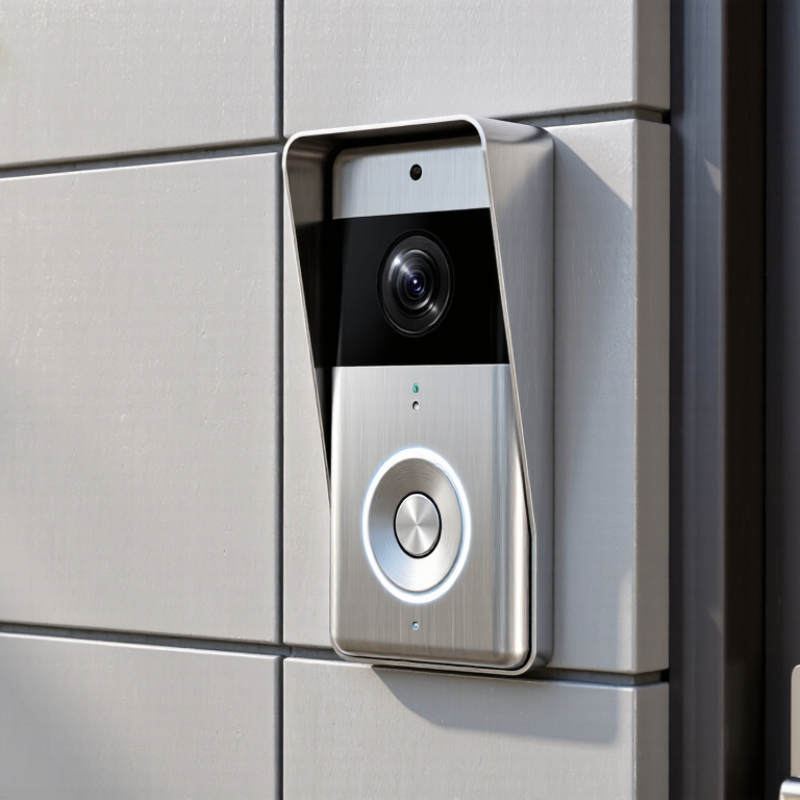
| Mounting and viewing angle | Mounting height, wall or pedestal construction, approach direction, visitor distance, and whether the camera faces strong backlighting. | Check the camera’s field of view, image performance in the expected lighting, and available surface or flush-mount options. Avoid placing the camera where visitors are routinely out of frame. | Mark the proposed camera position and test the view at typical visitor locations and times of day. |
| Network connection | Availability of Ethernet at the entrance, cable route and length, network-segment assignment, and whether the door station is on a secure LAN or a routed network. | Confirm the device’s Ethernet speed, addressing options, VLAN support, and network requirements. Use a properly installed Ethernet run; copper Ethernet channels are generally limited to 100 metres. | Check the cable route, switch-port configuration, IP addressing plan, and connectivity to the SIP server and other required services. |
| Power at the entrance | Whether power is available locally, whether the network switch supports Power over Ethernet (PoE), and the cable length and power budget. | Match the door phone’s specified power method and PoE standard to the available supply. Allow for the device’s maximum power draw and any connected accessories. | Review the device power specifications and switch PoE budget. Confirm that the selected port can supply the required power under load. |
| SIP platform compatibility | The SIP server or PBX in use, account-registration method, extension or directory plan, and any required call-routing rules. | Confirm SIP registration and call-control compatibility. Check supported codecs, DTMF methods, transport options, and any platform-specific provisioning requirements before purchase. | Test registration, calls to intended endpoints, answer and hang-up behavior, and recovery after a network or power interruption. |
| Video and audio quality | Expected visitor traffic, ambient noise, lighting conditions, viewing devices, and the quality of the available network connection. | Compare supported video and audio codecs with the receiving phones or software. Confirm that two-way audio, echo control, and the required video resolution are supported end to end. | Place test calls from the entrance and assess image clarity, lip synchronization, speech intelligibility, and performance in daytime and nighttime conditions. |
| Network capacity and call quality | Available bandwidth, concurrent calls, other traffic on the network, and whether voice or video traffic crosses a WAN connection. | Estimate bandwidth using the selected codecs, resolution, frame rate, and number of simultaneous calls. Where supported, configure suitable QoS policies for real-time traffic. | Review switch and router utilization, test during busy periods, and check for packet loss, jitter, and latency on the call path. |
| Firewall, NAT, and remote access | Whether calls remain on the local network or traverse firewalls, NAT devices, VPNs, or remote-access services. | Document the required SIP and media paths and configure only the necessary firewall rules. Use supported secure signaling and media-encryption options where required. | Validate inbound and outbound calls through the actual network path. Confirm that firewall timeouts and NAT behavior do not interrupt signaling or media. |
| Door release and access control | Lock type, required release method, fail-safe or fail-secure behavior, existing access-control equipment, and local safety requirements. | Check the door phone’s relay ratings and wiring diagrams. Use an appropriate external relay or access-control system when the lock’s electrical requirements exceed the device’s ratings. | Have a qualified installer verify the circuit, release duration, emergency egress behavior, and operation during power or network failure. |
| Users and call routing | Number of residents or staff, reception coverage, after-hours handling, call groups, and the need to answer from desk phones or mobile clients. | Choose a system that supports the required directory, call-forwarding, schedules, and multiple answering endpoints. Define who can release the door and under what conditions. | Test normal, unanswered, busy, and after-hours call paths with representative users and endpoints. |
| Security and administration | Account-management process, device-management access, credential policy, update responsibility, and applicable privacy or retention requirements. | Look for unique credentials, role-based administration, supported firmware updates, and encrypted communication options. Disable unused services and restrict management access to authorized networks. | Review security documentation and administrative settings. Confirm update procedures, access logs where available, and retention settings for any stored recordings or images. |
| Installation and ongoing support | Mounting surface, conduit and cable access, installer availability, expected service life, and replacement or maintenance procedures. | Consider installation accessories, configuration tools, spare-part availability, and whether the device can be maintained without disrupting other entry systems. | Inspect the installation plan, document network and SIP settings securely, and confirm the support and firmware-maintenance process before deployment. |



 08045479132

 Send Inquiry


 Send Inquiry
 Send SMS