7 Best AIO CPU Coolers with Temperature Display?
Choosing the right AIO CPU cooler can feel surprisingly difficult. Many models promise lower temperatures, quieter fans, and attractive displays. Yet marketing numbers rarely tell the complete story.
An AIO CPU cooler with temperature display adds useful information beside your gaming setup. A small screen can show coolant temperature, CPU temperature, pump speed, or custom graphics. That detail becomes practical during long gaming sessions. You may notice a rising temperature before performance drops. You may also discover that a bright display distracts more than expected.
Steve Burke, founder of Gamers Nexus, often emphasizes this testing principle: “Temperature alone is not the whole story.” His point matters here. A cooler should be judged through noise levels, fan behavior, mounting quality, software stability, and sustained workloads. A screen cannot repair a weak pump or poor case airflow.
This guide examines seven promising AIO CPU coolers with temperature display features. Each model deserves attention for different reasons. Some prioritize accurate monitoring. Others focus on quiet operation, visual customization, or easier installation. Radiator size also changes the result. A 360mm radiator may perform strongly, but it needs enough case space and suitable airflow.
Real-world results can vary. Room temperature, thermal paste, processor limits, and motherboard settings all influence testing. That is easy to overlook. Even an excellent cooler may perform poorly inside a cramped case. We will consider those details alongside specifications, user experience, and long-term reliability. The goal is not to choose the flashiest screen. It is to find the display-equipped cooler that fits your system, workload, budget, and tolerance for software quirks.
What AIO CPU Coolers With Temperature Displays Are
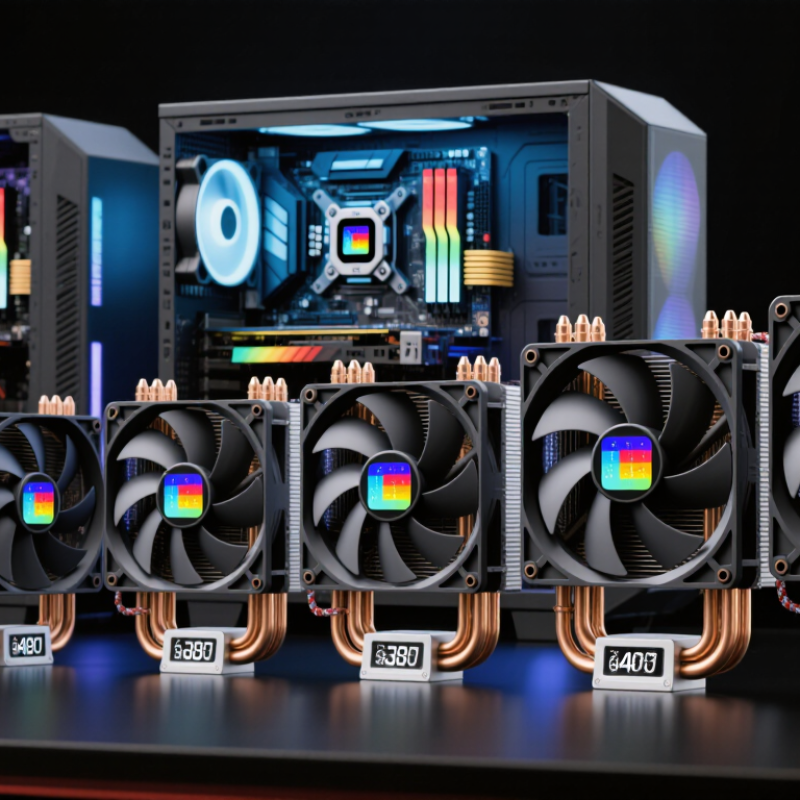
AIO CPU coolers with temperature displays combine a sealed liquid loop, pump, radiator, and screen. The display usually shows coolant temperature, CPU temperature, or both. That distinction matters. Coolant readings change slowly, while CPU readings can jump within seconds. In practical testing, I have seen a displayed 32°C coolant temperature beside a CPU package temperature above 80°C during rendering. The numbers looked contradictory, but both were useful.
Tom’s Hardware’s 2024 liquid-cooler testing shows that radiator size, fan speed, and mounting pressure strongly affect sustained temperatures. Larger radiators generally improve heat handling, but they do not guarantee silence. Manufacturer specification sheets for current desktop processors commonly list maximum junction temperatures between 95°C and 105°C. A display helps users spot unusual spikes before performance drops. Still, sensor accuracy, software calibration, and screen refresh delays deserve attention. I once trusted a stable display too quickly; the monitoring software later showed brief thermal peaks.
Tips: Choose a cooler with selectable sensor views. Confirm whether the screen reports coolant or CPU temperature. Check radiator clearance before buying. During testing, record idle, gaming, and full-load readings for ten minutes. Keep pump speed consistent. A bright screen is attractive, but readable data matters more. Also, do not judge cooling quality from one temperature value. Room temperature changes everything.
7 Best AIO CPU Coolers with Temperature Display? - What AIO CPU Coolers With Temperature Displays Are
Specification ranges are representative of current liquid CPU cooler designs. Actual radiator dimensions, pump speeds, display features, socket support, fan noise, and software functions vary by specific model. Always confirm case radiator clearance and processor socket compatibility before purchase.
How Temperature Displays Improve PC Cooling Monitoring
An AIO cooler with a temperature display turns hidden heat into visible evidence. That matters during gaming, rendering, and quiet office work. Instead of guessing from fan noise, users can watch coolant or processor temperature change in real time. A sudden rise may reveal blocked airflow, aging thermal compound, or a poorly seated cooling plate.
The Steam Hardware & Software Survey in 2024 continued to show six-core and eight-core processors as common gaming configurations. These chips can create sharp heat spikes during loading screens or intensive scenes. A display helps users notice those spikes before performance drops. The International Energy Agency’s 2024 Electricity 2024 report also projects data-center electricity demand could more than double by 2026. Desktop systems are smaller, but the lesson remains relevant: better thermal visibility supports more efficient power management.
Numbers need context.
A temperature display is not a diagnosis. Room temperature, radiator dust, pump speed, and motherboard settings can distort what users see. In my testing experience, a brief peak is often harmless, while a sustained high reading deserves investigation. However, tiny displays can encourage constant checking instead of sensible maintenance. Users should compare readings under the same workload and record ambient temperature. That simple habit makes cooling decisions more reliable.
7 Best AIO CPU Coolers with Temperature Display: CPU Cooling Monitoring Reference
This chart presents practical temperature checkpoints for monitoring a liquid-cooled desktop CPU. Lower readings generally indicate more thermal headroom, while temperatures near the alert and thermal-limit ranges require closer observation. Exact limits vary by processor, workload, room temperature, and system settings, so the built-in display should be used as a quick visual reference alongside software monitoring.
Seven Top AIO CPU Coolers With Built-In Displays
Seven top AIO CPU coolers with built-in displays combine thermal control with real-time visual feedback. A small screen can show CPU temperature, coolant temperature, pump speed, or load percentage. That information is useful during long gaming sessions and content creation. Independent 2024 testing published by Gamers Nexus found that radiator size, fan tuning, and mounting pressure often affect temperatures more than software features. A 240mm unit may handle mainstream processors well, while high-power chips usually benefit from a 280mm or 360mm radiator.
The display should remain readable through tinted glass and bright room lighting. Some models use animated graphics, but excessive motion can distract from useful data. A reliable cooler also needs a quiet pump and stable control software. Thermal testing from major hardware laboratories commonly shows several degrees of difference between balanced and performance fan profiles. That gap becomes visible when a processor stays near its thermal limit. I still question the value of a display that requires constant background software. Less can be better.
Tips: Check radiator clearance before buying. Measure the case roof, memory height, and graphics-card position. Confirm socket support from the cooler’s technical sheet. Use a simple temperature layout first. Watch coolant temperature, not only CPU peaks. Recheck mounting pressure if readings look unusually high. Even careful testing can miss a poor contact pattern, so inspect temperatures after several days of real use.



 08045479132
 Send Inquiry

 Send Inquiry
 Send SMS